Status of each feature. Sandbox and preview features file nothing real. See the availability table.
Each video is a recording of DIY Accounting's free bookkeeping tools doing one accounting task, start to finish. They are hosted on the DIY Accounting Submit YouTube channel.
Record sales and purchases, see your profit
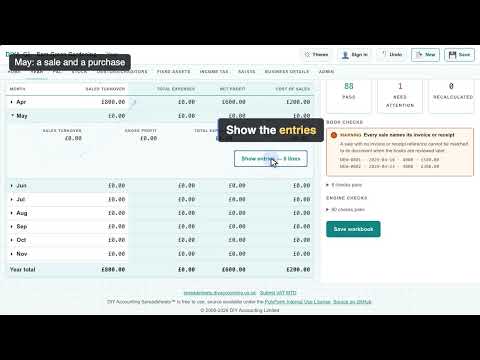
The first video in a how-to series on doing your own accounts. A sole trader starts a new book in diya-gl, DIY Accounting's free bookkeeping tool that runs in your browser. They enter three sales and two purchases over April and May, each with a date, a description and an amount. The book adds up as they go, and the year total and the profit and loss account both show £1,200 of profit. It's a real recording of the live tool, not a mockup or a design draft. Try it yourself at https://diya-gl.co.uk/bst.html.
Sales, purchases and profit in the Excel workbook
The second video in a how-to series on doing your own accounts. A sole trader opens the free Basic Sole Trader Excel workbook from DIY Accounting and enters three sales and two purchases over April and May, each on its month sheet. The workbook adds up as they go, and the Profit & Loss sheet shows £1,200 of profit for the year. The workbook is the real download, opened here in Collabora Online, which runs the .xlsx as Excel or LibreOffice would. It is a real recording, not a mockup. Download the workbook free at https://spreadsheets.diyaccounting.co.uk/.

Record a sale and a purchase in the Excel workbook, see your profit
A sole trader opens the free Basic Sole Trader Excel workbook from DIY Accounting, enters one sale and one purchase for April, and reads the profit from the Profit & Loss sheet. The workbook is the real download, opened here in Collabora Online, which runs the .xlsx as Excel or LibreOffice would. It is a real recording, not a mockup. Download the workbook free at https://spreadsheets.diyaccounting.co.uk/.
