Status of each feature. Sandbox and preview features file nothing real. See the availability table.
Each video is a recording of DIY Accounting Submit doing one thing, start to finish. Videos marked "(sandbox)" show features recorded against HMRC's test service. They are hosted on the DIY Accounting Submit YouTube channel.
DIY Accounting Submit: sign in and take out a day pass
DIY Accounting Submit sends VAT returns to HMRC under Making Tax Digital for 99p a month, with a free day pass to try it. This video shows the part every other activity starts with: signing in through Cognito's Hosted UI (Google sign-in follows the same page) and taking out a day pass so the VAT activities unlock. It's a real recording of the live product, not a mockup or a design draft. Try it yourself at https://submit.diyaccounting.co.uk/.

DIY Accounting Submit: what an activity costs and what's left
DIY Accounting Submit sends VAT returns to HMRC under Making Tax Digital for 99p a month, with a free day pass to try it. This video shows the token balance every account carries: what a bundle grants, what each metered activity spends, and what happens when the balance runs out. It's a real recording of the live product, not a mockup or a design draft. Try it yourself at https://submit.diyaccounting.co.uk/.

DIY Accounting Submit: subscribe, see it, cancel
DIY Accounting Submit sends VAT returns to HMRC under Making Tax Digital for 99p a month, with a free day pass to try it. This video shows a subscription bundle: what Subscribe starts through Stripe's own checkout, where an active subscription shows once it's running, and how Stripe's billing portal ends it. It's a real recording of the live product, not a mockup or a design draft. Try it yourself at https://submit.diyaccounting.co.uk/.
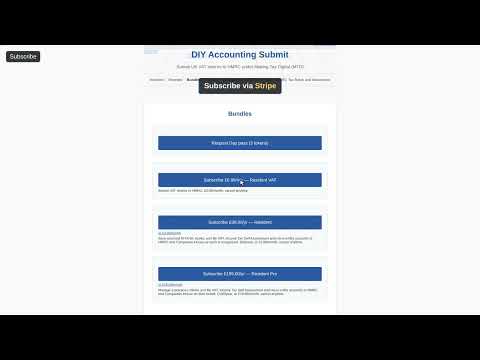
DIY Accounting Submit: a tour of the site
DIY Accounting Submit sends VAT returns to HMRC under Making Tax Digital for 99p a month, with a free day pass to try it. This video is an unauthenticated tour of the site: what it does, how to use it, the bundles that unlock each activity, and where to find help and accessibility information. It's a real recording of the live product, not a mockup or a design draft. Try it yourself at https://submit.diyaccounting.co.uk/.
00:00 Home
00:24 About
00:45 User guide
01:11 Help
01:39 Bundles
01:59 Accessibility

DIY Accounting Submit: find a submission receipt again
DIY Accounting Submit sends VAT returns to HMRC under Making Tax Digital for 99p a month, with a free day pass to try it. This video shows a signed-in walk through submission receipts: submitting a VAT return, then finding and opening its receipt from the account's receipt history. It's a real recording of the live product, not a mockup or a design draft. Try it yourself at https://submit.diyaccounting.co.uk/.

DIY Accounting Submit: generate a digital pass to give away
DIY Accounting Submit sends VAT returns to HMRC under Making Tax Digital for 99p a month, with a free day pass to try it. This video shows generating a digital pass: a shareable link that gives whoever redeems it free VAT submission access for 7 days. This is a recording against a local simulator, not a live system. Try it yourself at https://submit.diyaccounting.co.uk/.
00:00 Home
00:00 Sign in
00:06 Resident VAT
00:15 Generate the pass

DIY Accounting Submit: generate a physical pass to print
DIY Accounting Submit sends VAT returns to HMRC under Making Tax Digital for 99p a month, with a free day pass to try it. This video shows generating a physical pass: a code for merchandise or print that gives whoever redeems it free VAT submission access. It's a real recording of the live product, not a mockup or a design draft. Try it yourself at https://submit.diyaccounting.co.uk/.

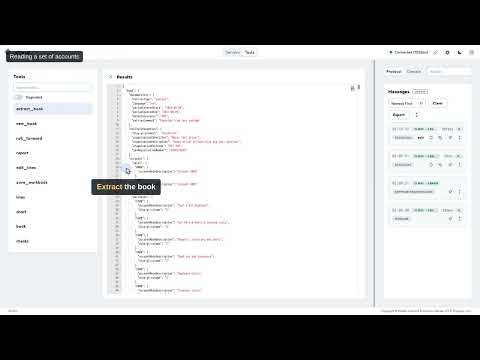
DIY Accounting Submit: diya-gl's MCP server, inspected
diya-gl is DIY Accounting's open-source bookkeeping engine. This video looks under the hood: an MCP Inspector session driving diya-gl's Model Context Protocol server, extracting a real example set of accounts and reading back its report, transactions and account balances. Try DIY Accounting Submit's VAT side of the product at https://submit.diyaccounting.co.uk/.
DIY Accounting Submit: the hosted MCP server, inspected
DIY Accounting Submit also runs as a hosted MCP server at one web address. This video shows a developer tool, MCP Inspector, connecting to it, signing in through the same sign-in page the web app uses, and listing the 17 tools the server offers once you are in. It is a real recording. Try DIY Accounting Submit at https://submit.diyaccounting.co.uk/.

DIY Accounting Submit: the submission MCP in Docker, inspected
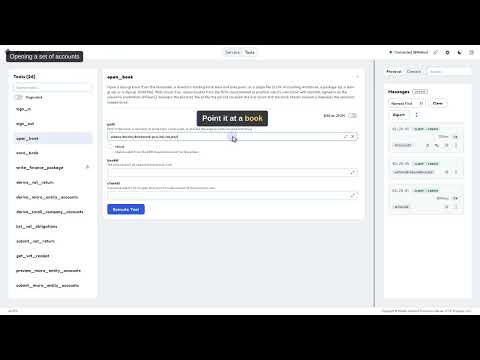
The DIY Accounting Submit MCP server also runs as a Docker image, with a folder of books mounted into it. This video shows a developer tool, MCP Inspector, connecting to the container, opening an example book and working out its VAT return boxes. It is a real recording. Try DIY Accounting Submit at https://submit.diyaccounting.co.uk/.

DIY Accounting Submit: the submission MCP from npm, inspected
The DIY Accounting Submit MCP server runs from npm with one command. This video shows a developer tool, MCP Inspector, connecting to it, opening an example book and working out its VAT return boxes. It is a real recording. Try DIY Accounting Submit at https://submit.diyaccounting.co.uk/.
DIY Accounting Submit: view and edit your bundles
DIY Accounting Submit sends VAT returns to HMRC and files with Companies House for 99p a month each, with a free day pass to try the VAT side. This video shows the Bundles page: the bundles you can add, the box where you redeem a pass from someone else, the bundle your pass added, and removing one you no longer want. It is a recording of the real product, not a mockup. Try it yourself at https://submit.diyaccounting.co.uk/.
00:00 Home
00:01 Sign in
00:14 Open Bundles
00:29 Redeem a pass
01:09 Your current bundles
01:27 Remove a bundle
