Submit turns the figures you give it into micro-entity accounts and files them with Companies House. You choose the accounting period, enter the balance sheet and profit and loss figures, check the answers and file.
What you need before you start
- Your company number.
- The accounting period and the balance sheet and profit and loss figures for it.
- The name of the director who approves the balance sheet, and the date of approval.
- A Google or Microsoft account to sign in to Submit.
The steps
-
Find the company
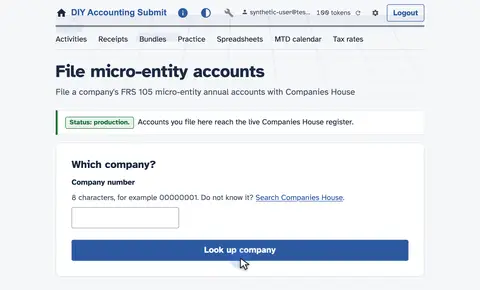
Open File Micro-entity Accounts to find the company.
-
Enter the company number
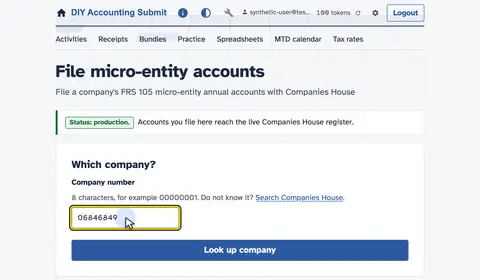
Type the company number.
-
Look up the company
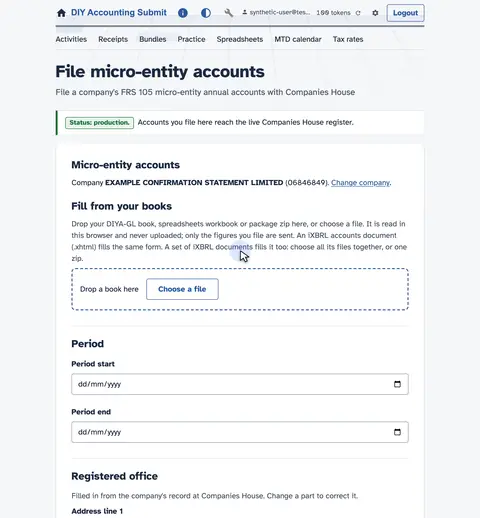
Look up the company with Companies House.
-
Confirm the company name
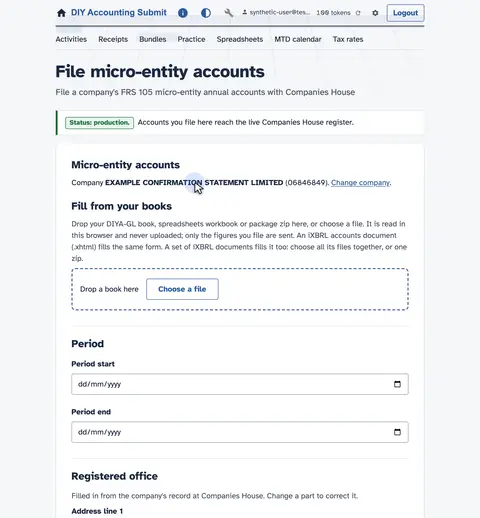
Companies House confirms the company name.
-
Set the accounting period
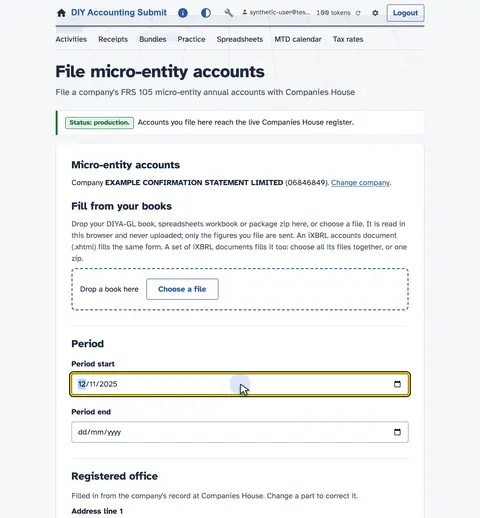
Set the accounting period.
-
This year, then last year
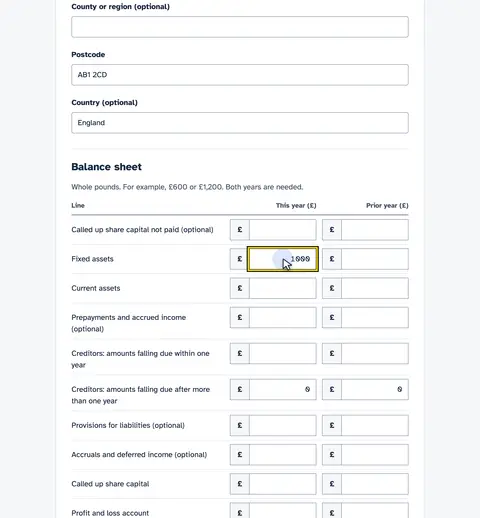
Enter this year's balance sheet, then last year's for comparison.
-
Net assets must balance
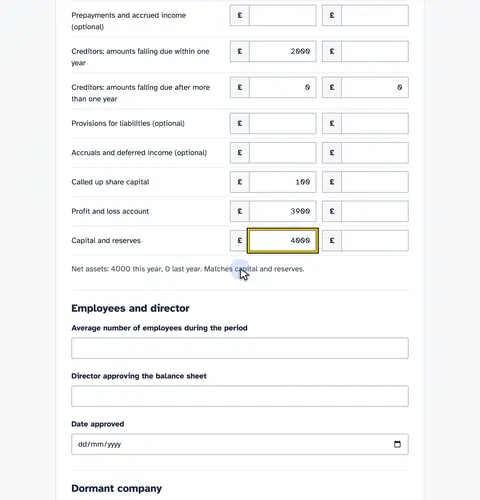
This checks net assets against capital and reserves.
-
Name the approving director
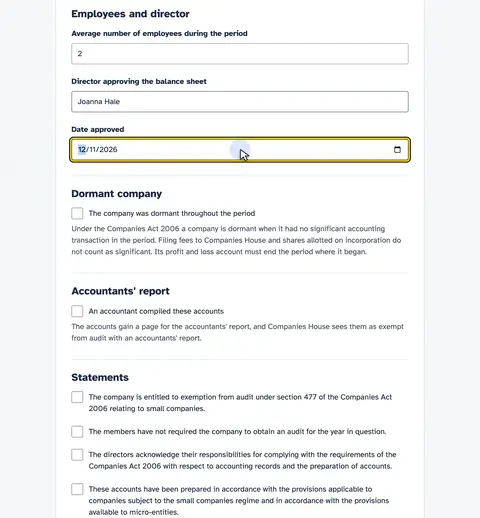
Name the director approving the accounts.
-
Accept the statements
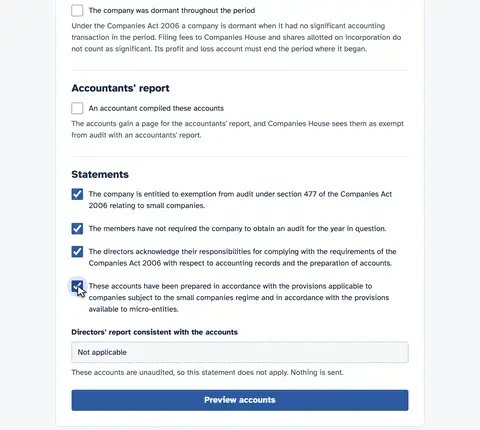
Accept the four statutory statements.
-
Preview
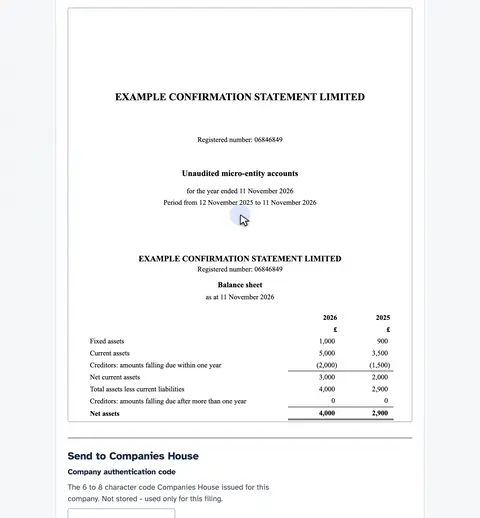
Preview the iXBRL before anything is filed. These are the accounts as they will be filed. Nothing has gone to Companies House yet.
-
File it
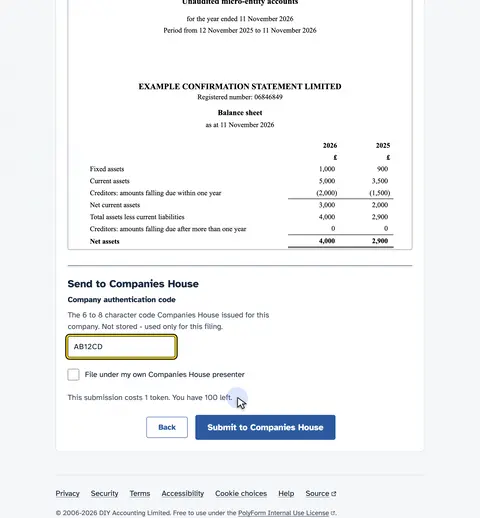
Type the company's Companies House authentication code. Filing costs one token. Submit the filing to Companies House.
-
Companies House checks it
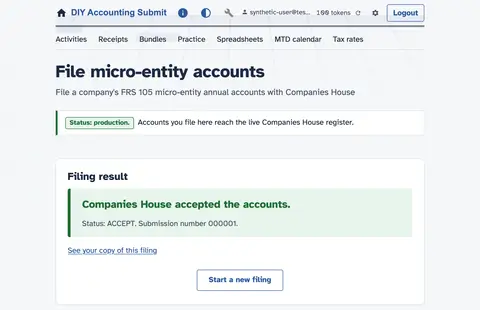
The filing goes to Companies House.
-
Companies House has the filing
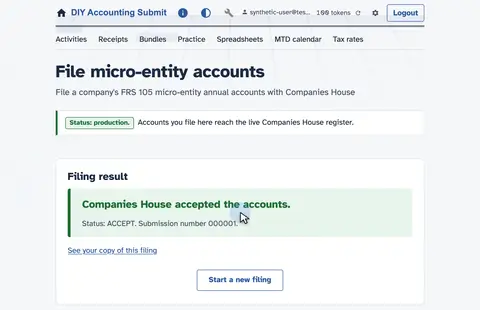
Companies House has the filing and reports the outcome here.
-
Open your copy
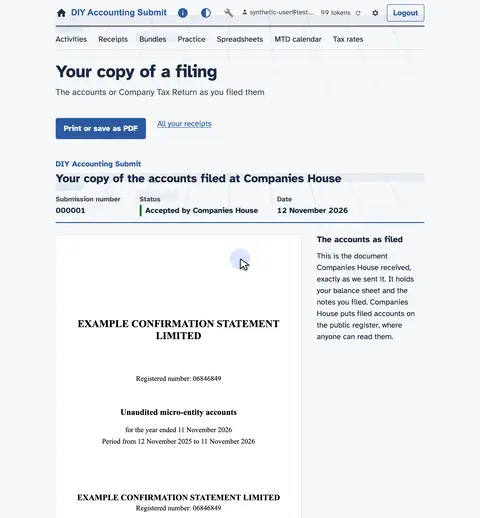
Open your copy of the filing.
-
The filed accounts
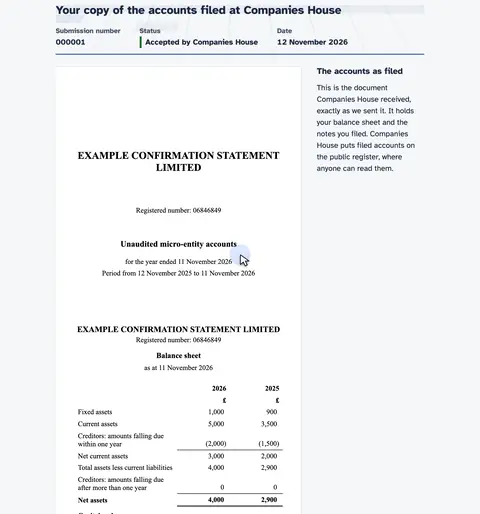
Your copy shows the filed accounts, the submission number and the status.
-
Kept on your receipts
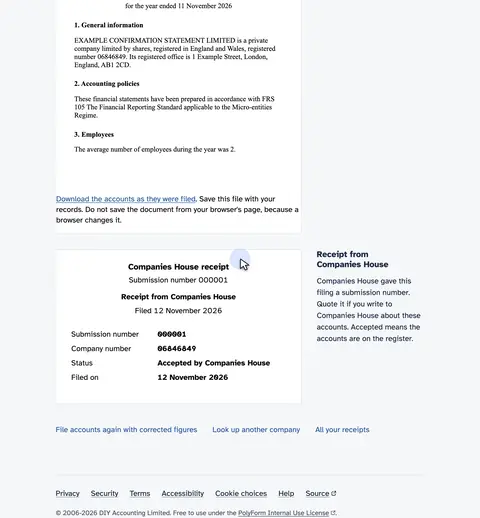
Your copy stays on your receipts page.
Watch the video: How to file micro-entity accounts.
Price
The Resident Ltd bundle covers this filing and costs £9.99 a year or £0.99 a month.
When it is due
A private limited company files its annual accounts with Companies House within 9 months of the end of its financial year.
File annual accounts with Companies House 9 months after your company’s financial year ends
See every date on the MTD calendar.
Ready to file
Other filings
- How to file a VAT return from a spreadsheet
- How to file small company accounts at Companies House
- How to file dormant company accounts at Companies House
- How to file a confirmation statement (CS01)
- Company accounts filing software compared by price
- When are your company's accounts and confirmation statement due?
Each filing and the channels that offer it are in the availability table.